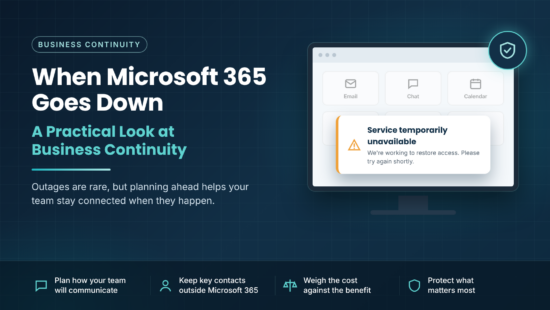


What the November Microsoft 365 Outage Means for Your Business
On November 12, a widespread Microsoft 365 outage left many organizations without reliable access to email, Teams, and shared files for much of a business day. Events of this scale are rare, and Microsoft 365 remains one of the most dependable platforms available to businesses. Still, the outage is a good moment to ask how your organization would cope if the tools it relies on were unavailable, and how much it makes sense to invest in being prepared.
What Happened
The disruption began on the afternoon of Thursday, November 12. Users in North America, and soon after around the world, found they couldn’t open their mailboxes in Outlook or send and receive email reliably. Teams, SharePoint, OneDrive, Copilot, and a number of admin and security tools were also affected at different points during the day.
The scale was hard to miss. Shortly after the problems started, Downdetector logged nearly 130,000 reports from Outlook users, and some services remained degraded for close to 24 hours before Microsoft restored normal operation.
Microsoft has since explained that the outage was caused by a latent defect in an earlier fix to its networking gateway, which set off a cascading failure as traffic shifted onto servers that couldn’t keep up. It was not a cyberattack, and Microsoft reports that no email was lost. Delayed messages were delivered once service came back.
What It Meant for Businesses
For many organizations, the outage was frustrating but manageable. Teams calling and messaging kept working for a lot of users, which gave staff at least one way to stay in touch, and work that didn’t depend on email could carry on.
For others, the impact was more serious. Organizations that rely on email for time-sensitive client communication, scheduling, approvals, or service requests found themselves unable to respond for hours. Staff couldn’t reach shared calendars or contact details stored in Outlook. Some teams simply didn’t know where to turn for updates, or how to let clients know what was going on.
The difference between those two experiences usually came down to two things: how dependent the organization was on Microsoft 365 for its core work, and whether anyone had thought ahead about what to do if it went down.
Keeping It in Perspective
It’s worth being clear about how unusual this event was. Microsoft 365 experiences minor service issues from time to time, but an outage of this size and length is rare. The last disruption on a comparable scale happened a few years ago.
It’s also worth remembering that the alternatives have their own risks. Organizations that run their own email servers or file storage still experience downtime, often more frequently, and without the redundancy and engineering resources Microsoft brings to its platform.
Microsoft 365 remains a sound platform for most organizations. The practical takeaway is that every technology service can fail occasionally, so each organization should decide deliberately how much protection makes sense for them.
A Practical Way to Think About Business Continuity
Business continuity simply means having a plan for how your organization keeps operating when something goes wrong. For a cloud outage, that plan doesn’t have to be elaborate, but it should be based on your actual needs.
1. Estimate the Impact of a Day Without Microsoft 365
Start by asking a few practical questions:
- Which of our daily activities stop completely if email and Teams are unavailable?
- Do we have clients, members, or patients who expect a same-day response?
- Are there deadlines, filings, or contractual obligations that could be missed?
- What would a full day of disruption cost us in lost productivity, revenue, or reputation?
For some organizations, the honest answer is that a day without email is an inconvenience. For others, it could mean real financial or reputational harm. Both answers are valid, and they lead to very different decisions.
2. Start With Low-Cost Basics
Some of the most useful continuity steps cost little or nothing:
- Keep an up-to-date contact list for staff and key clients somewhere outside Microsoft 365.
- Agree on a backup way to communicate internally, such as text messages or a phone tree.
- Decide who is responsible for checking service status and updating the team.
- Prepare a short message you can send or post to let clients know you’re experiencing a temporary issue.
- Make sure staff know which critical documents they may need offline and how to access them.
These steps won’t keep email running, but they help your team stay organized and keep clients informed while a provider works on a fix.
3. Consider Additional Layers if the Impact Justifies Them
Organizations with a higher cost of downtime may want to go further. Options include email continuity services that let staff send and receive messages during a Microsoft outage, alternate collaboration or communication tools, and documented manual workarounds for critical processes.
Third-party Microsoft 365 backup is also worth considering, though it’s important to understand what it does. Backup protects your data from deletion, corruption, or ransomware. It’s valuable for many reasons, but on its own it won’t restore access to email while Microsoft’s service is down.
4. Weigh the Cost Against the Benefit
Every additional layer of protection comes with a cost: subscriptions, setup, training, and ongoing management. That’s why there’s no single right answer.
A small nonprofit with flexible deadlines may reasonably decide that a simple communication plan is enough. A professional services firm whose clients expect immediate responses may find that an email continuity service pays for itself the first time it’s needed. The right level of investment depends on how much a disruption would cost your organization and how often you expect to face one.
The goal is to make that decision intentionally, with a clear understanding of the trade-offs, rather than discovering your exposure in the middle of an outage.
Where to Start
If the November outage raised questions for your team, a short conversation is a good first step. Orion Networks can help you look at how your organization uses Microsoft 365, estimate the impact of an outage, and weigh continuity options that fit your budget and your level of risk.
You can schedule a conversation with our team to talk it through.