

Security Corner: Don’t Automatically Approve That MFA Prompt
Multi-factor authentication, or MFA, is one of the most effective ways to protect your accounts.
But there is one simple rule everyone should remember:
If you did not just try to sign in, do not approve the prompt.
That one habit can stop an attacker from turning a stolen password into a full account compromise.
Why Unexpected MFA Prompts Matter
Attackers often obtain usernames and passwords through phishing emails, fake login pages, password reuse, or data breaches.
Once they have your password, they may try to sign in to Microsoft 365, email, cloud applications, or other business systems.
If MFA is enabled, the attacker still needs your approval.
That is where MFA fatigue, sometimes called push bombing, comes in.
An attacker may trigger repeated sign-in attempts, hoping you eventually approve one just to make the notifications stop.
They may also try to make the prompt look routine enough that you tap Approve without thinking.
The 60-Second Rule
When an MFA prompt appears, ask yourself one question:
Did I just try to sign in?
If the answer is yes, review the prompt carefully and make sure the location, application, and sign-in details make sense.
If the answer is no, deny the request.
Do not assume it is a glitch.
Do not approve it to make it disappear.
Do not ignore repeated prompts.
An unexpected MFA request may be the first visible sign that someone already has your password.
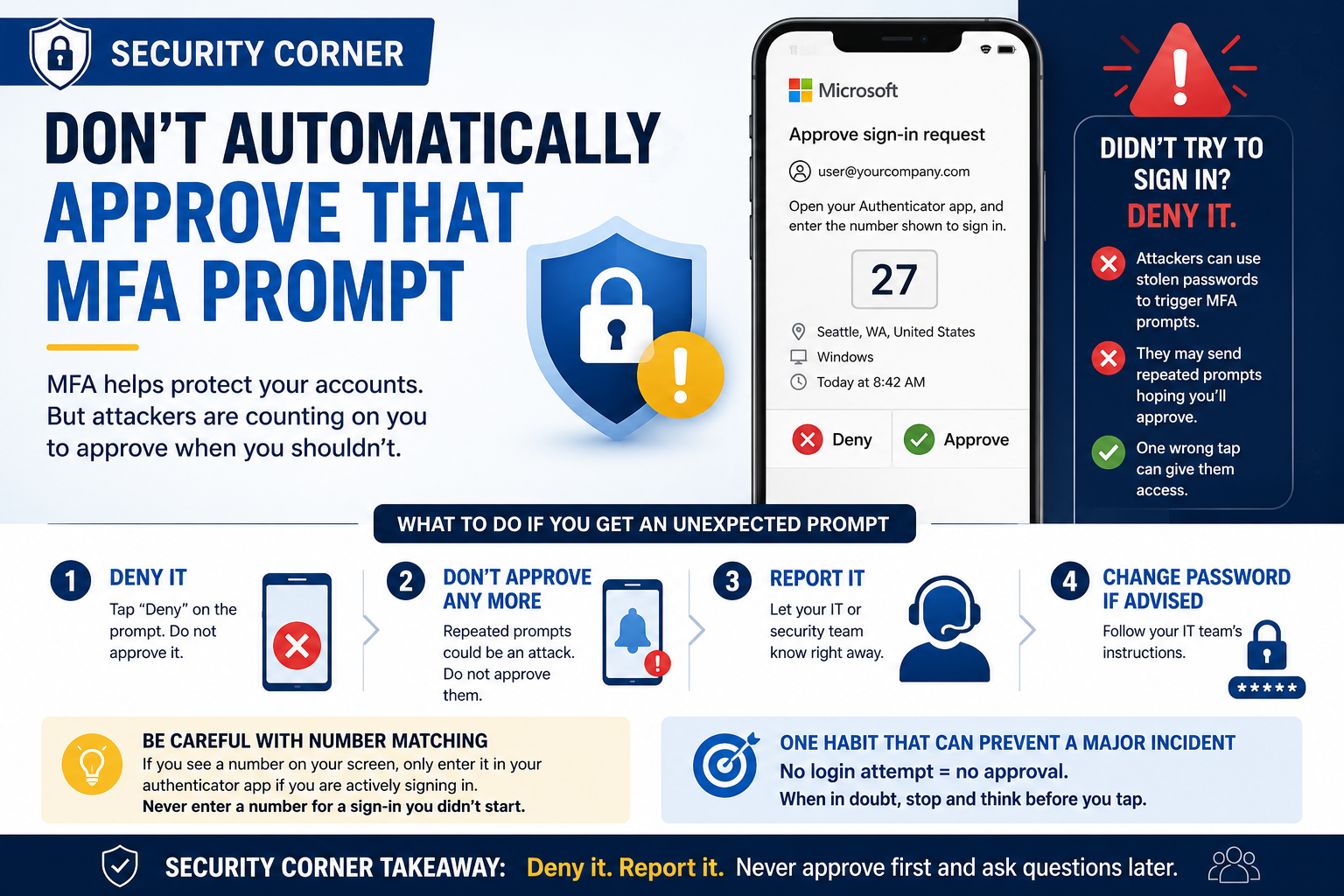
What To Do If You Get an Unexpected Prompt
If you receive an MFA request you did not initiate:
- Deny the sign-in request.
- Do not approve any additional prompts.
- Report it to your IT or security team.
- Change your password if instructed to do so.
If the prompts continue, contact IT immediately.
Repeated MFA requests should be treated as a security event, not an inconvenience.
Be Careful With Number Matching Too
Many MFA systems now use number matching instead of a simple Approve/Deny button.
You may see a number on the login screen and be asked to enter that same number into your authentication app.
This helps reduce accidental approvals, but the same basic rule still applies:
Never enter a number into your authentication app unless you are actively signing in yourself.
If someone calls, texts, or emails you asking you to approve a prompt or enter an MFA number, stop.
Legitimate IT support should not need you to approve a sign-in you did not initiate.
One Habit That Can Prevent a Major Incident
Security awareness does not always need to be complicated.
You do not need to understand every cyberattack or know how authentication systems work behind the scenes.
Just remember this:
No login attempt = no approval.
That five-second decision can protect your email, files, customer information, and other business systems from unauthorized access.
Security Corner Takeaway
When an MFA prompt appears unexpectedly:
Deny it. Report it. Never approve first and ask questions later.